Touchscreen games are designed for quick reactions, but a phone screen can feel busy when every command has to happen under your thumbs. The Integrated Handheld Mobile Game Controller is a hands-on accessory for players who want to arrange a compatible phone in landscape orientation and use two top clip-on triggers while playing. It is especially relevant for mobile shooter games where firing, reloading, switching weapons, and changing angles may call for frequent on-screen actions.
Rather than replacing a phone with a separate gaming device, this controller works around the phone itself. It combines a handheld grip format, trigger attachments, a screen-contact button, and a stand function in one compact gaming accessory. Before choosing it, the most important step is to check the phone’s length and consider whether the game’s on-screen controls can be positioned to work with the triggers.
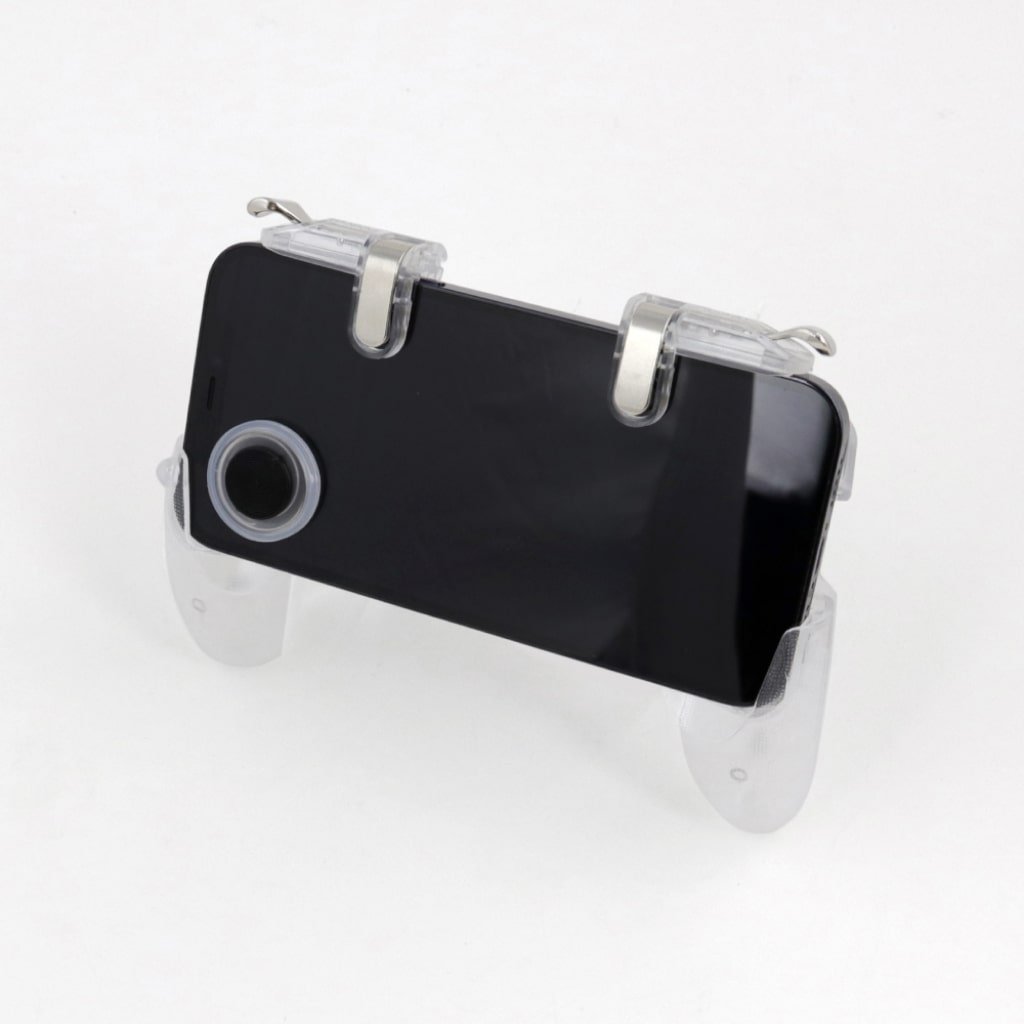
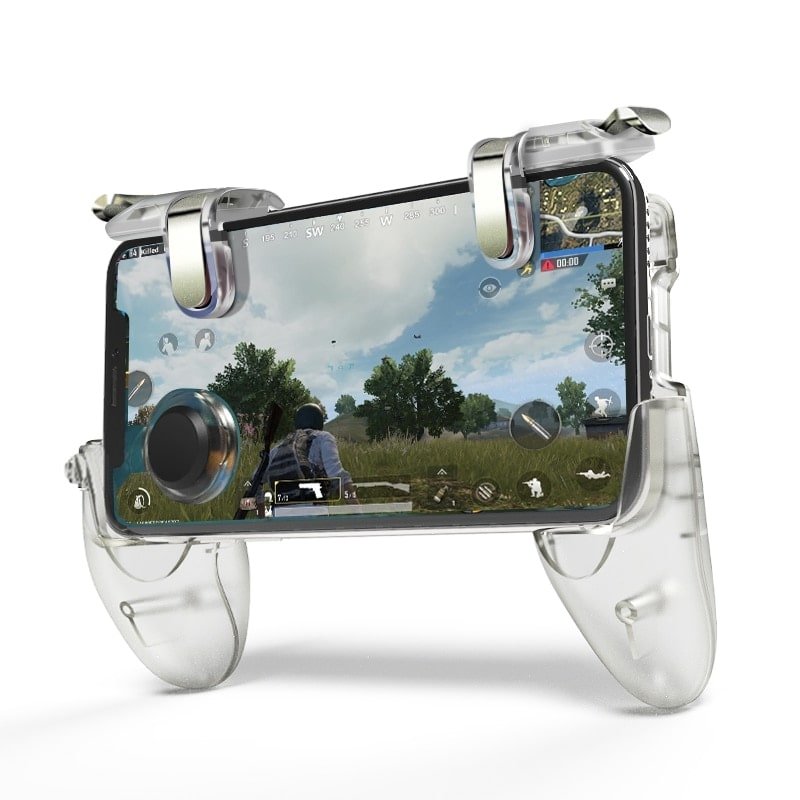
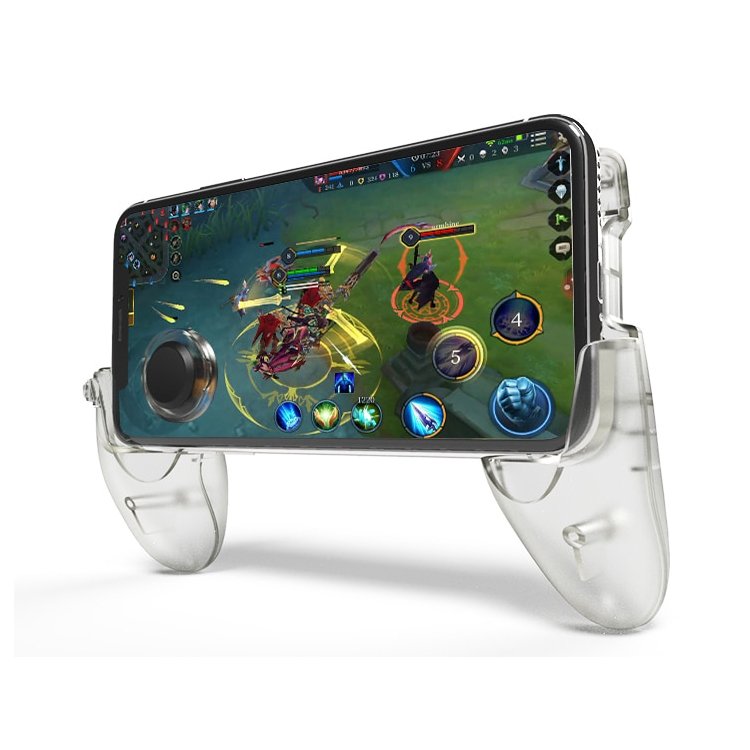
The controller holds a smartphone sideways, placing it in landscape mode for gameplay. Two clip-on triggers sit at the top, allowing players to press down with additional fingers rather than relying only on thumb taps. According to the product details, the mechanical screen-contact button uses conductive silicone and zinc alloy. The triggers are intended to activate touch points on the display, so the control placement within a game matters.
This arrangement can suit players who prefer a console-inspired grip while using a phone. It may make it more convenient to keep thumbs available for movement or aiming while assigning selected screen actions to the trigger positions. Actual use will vary by game layout, individual settings, and the way a player holds the controller.
A major feature of this design is its two-trigger setup. With a landscape phone secured in place, players can use their index fingers on the top triggers while their thumbs remain on the screen. Depending on the control layout, those trigger contact points may be set over functions such as firing, reloading, or weapon switching.
Because mobile games differ, compatibility is not simply about whether a title is a shooter game. Check where the game places its virtual buttons and whether those buttons can be moved or arranged beneath the trigger contact points. The product description references titles including Critical Ops, Rules of Survival, Knives Out, CrossFire, Survivor Royale, and Terminator 2: Judgment Day. These examples are useful starting points, but players should always verify their own current game controls before play.
The triggers do not add in-game commands on their own. They press corresponding areas of the touchscreen. For that reason, take a moment to open the game’s control settings, look at the location of important buttons, and test the layout before a match. A small adjustment to a virtual button position may help the triggers line up with the desired action.
The controller is listed as compatible with phones measuring 4.5 to 6.5 inches in length, without a case or cover. Since the phone sits sideways, this measurement refers to the phone’s length rather than its width. Measure or confirm the device dimensions before ordering, particularly if a phone has a notably tall or compact design.
The product details also describe a built-in magnetic hold. A phone case or cover needs to be removed for the magnet to connect, so plan to use the controller with the bare phone. This is a key part of setup, not a minor detail: the stated size range and case-free requirement should both be met before gaming.
When held in the hands, the controller provides a dedicated shape for a more game-focused grip. The product is described as ergonomically designed, with soft-touch silicone clip-on triggers. Comfort is personal, so it is sensible to take breaks and adjust how you hold the device during longer sessions. The controller’s role is to offer an alternative to holding the edges of a phone directly.
It can also stand on a surface and has multi-angle adjustment. That gives it a second everyday use as a phone holder when gaming is not on the agenda. Set the phone at a preferred viewing angle for a video, keep it propped up on a desk, or use the stand position while reviewing a game’s settings. As with any device stand, place it on a stable, level surface and keep the phone within the stated fit range.
This controller may appeal to mobile players who regularly play landscape-oriented shooter games and want physical trigger points for selected touchscreen actions. It can also be a useful option for someone who wants a phone holder with an adjustable viewing angle alongside a gaming-focused design. It is not a universal answer for every mobile game, because button placement and phone dimensions determine whether the setup will suit a particular player.
It is best approached as an accessory for deliberate setup. Measure the phone, remove the case, choose a compatible landscape game, and test the touchscreen alignment. Those simple checks help set realistic expectations and make the controller easier to incorporate into a gaming routine.
If the size requirements and trigger layout suit your phone and favorite game, the Integrated Handheld Mobile Game Controller offers a straightforward way to combine a landscape phone mount, two clip-on triggers, and an adjustable stand. Explore the Integrated Handheld Mobile Game Controller here and review the product details before selecting your setup.